Typo-Tolerant Search For WooCommerce
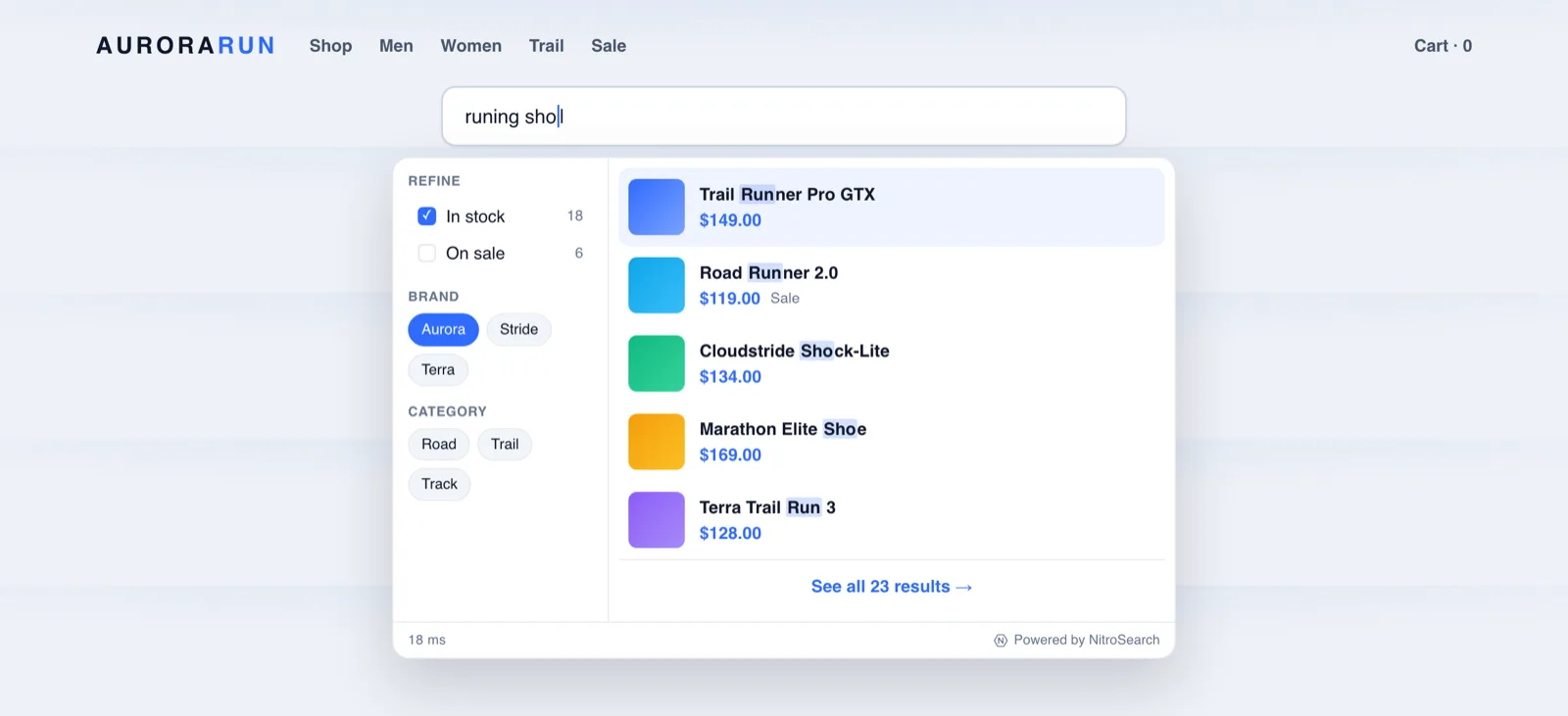
Shoppers type “runing shoes”, “heaphones”, “addidas” — on phones, in a hurry, with autocorrect fighting them. Native WooCommerce search matches literal substrings, so every one of those honest attempts returns nothing and the sale walks. Typo tolerance is the single most human upgrade you can give your search box.
2What Typo Tolerance Actually Does
Typo-tolerant search measures the distance between what was typed and what’s in your catalogue — how many single-character changes (a swap, a miss, an extra) separate them — and matches when they’re close enough. In practice:
| The shopper types | Native WooCommerce finds | Typo-tolerant search finds |
|---|---|---|
runing shoes | Nothing | Running shoes |
heaphones | Nothing | Headphones |
sweather | Nothing | Sweater |
chocolat gift | Nothing | Chocolate gifts |
Every row is the same event from the store’s point of view: a shopper with intent, a catalogue with the product, and — natively — a blank page between them.
2Why Native Search Can’t Forgive A Single Letter
WooCommerce search is a literal SQL substring match: LIKE '%runing%' matches rows containing exactly the letters runing, and “running” doesn’t. There is no closeness, no “almost” — one wrong character is as much a miss as a random string. No setting changes this, because it isn’t a setting; it’s what the query is. Approximate matching needs an engine that indexes text for it.
2How NitroSearch Forgives Typos Without Inviting Nonsense
Tolerance done crudely creates a new problem: forgive too much and “ring” starts matching “king”. The engine behind NitroSearch applies tolerance the careful way:
- Scaled by word length. Longer words earn more forgiveness — a character or two — while short words stay strict, so three-letter terms don’t dissolve into noise.
- Exact matches first. Ranking always prefers the literal match, so tolerance only surfaces when it’s needed — it widens the net without muddying the top of the results.
- Everywhere shoppers search. Applied across names, brands and categories, in the instant dropdown and on the full results page alike.
- Visible, not spooky. Matched terms are highlighted in the results, so a rescued misspelling still looks like an answer, not a glitch.
2“Fuzzy Search”, If That’s The Word You Came With
Fuzzy search is the umbrella term for approximate matching; typo tolerance is its shopper-facing core. When a store tool advertises fuzzy matching, edit-distance typo handling is the part that earns the label — the part that turns thumb-typed, autocorrect-mangled queries into sales. If a search product can’t survive “adidsa”, it isn’t meaningfully fuzzy.
2Why This Is A Revenue Feature, Not A Nicety
Think about where store searches actually happen: on phones, with thumbs, hyphenated brand names, autocorrect “helping”, and product vocabulary shoppers only half-remember. Misspelling isn’t an edge case of search — it’s a steady share of it. Every forgiving match is a shopper who stayed; every blank page is one who reasonably concluded you don’t stock it. On paid plans, our analytics shows you the zero-result searches shoppers actually typed — most stores find their own catalogue in that list, spelled almost right.
Typo tolerance is the floor, not the ceiling: understanding that “sofa” and “couch” are the same request (synonyms), or that “warm winter jacket” is a meaning rather than a string (semantic search), are further steps — both are on our roadmap and labelled as such, not sold as shipped. Today’s promise is precise: the misspellings real shoppers make still find the product they meant.
Tolerance Is One Leg Of Findability
The stores that convert pair it with instant results and honest coverage of what shoppers type.
Frequently asked
What is typo-tolerant search?
Is fuzzy search the same as typo tolerance?
Can WooCommerce’s built-in search handle misspellings?
How many typos does NitroSearch forgive?
Does typo tolerance make results less precise?
More on WooCommerce search
WooCommerce behaviour and product capabilities described on this page last checked 1 August 2026.
Stop Losing Sales To Spelling
Typo-tolerant search on every plan — free up to 100 search results, live in minutes.
Free up to 100 search results · No card required · Cancel anytime