The WooCommerce Search Plugin Built For Speed
NitroSearch replaces WooCommerce’s slow, literal-minded search with instant, typo-tolerant results served by a dedicated engine — so search stops running on your hosting and starts selling for you. One small plugin, live in minutes, free up to 100 search results.
Free up to 100 search results · No card required · Cloud-hosted
From Install To Instant In Minutes
No theme surgery, no templates to edit, no developer required — the plugin finds your search box and takes it from there.
Install The Plugin
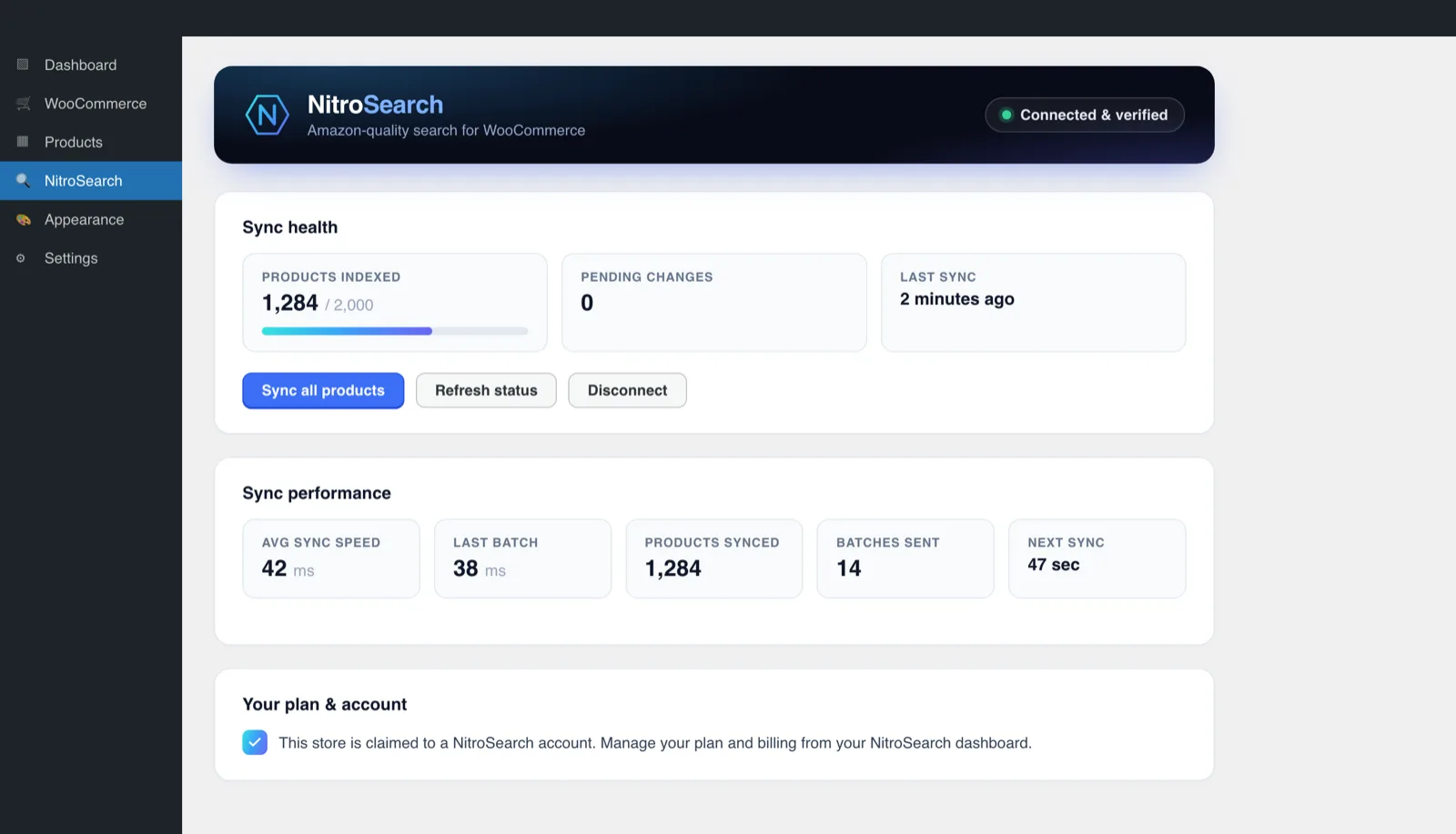
One small plugin from WordPress.org. It syncs your catalogue to your own cloud-hosted search index and keeps it confirmed in sync from then on.
Search Upgrades Itself
The widget enhances the search box your theme already has — fully isolated from your theme, so nothing clashes and nothing needs restyling.
Shoppers Feel It Immediately
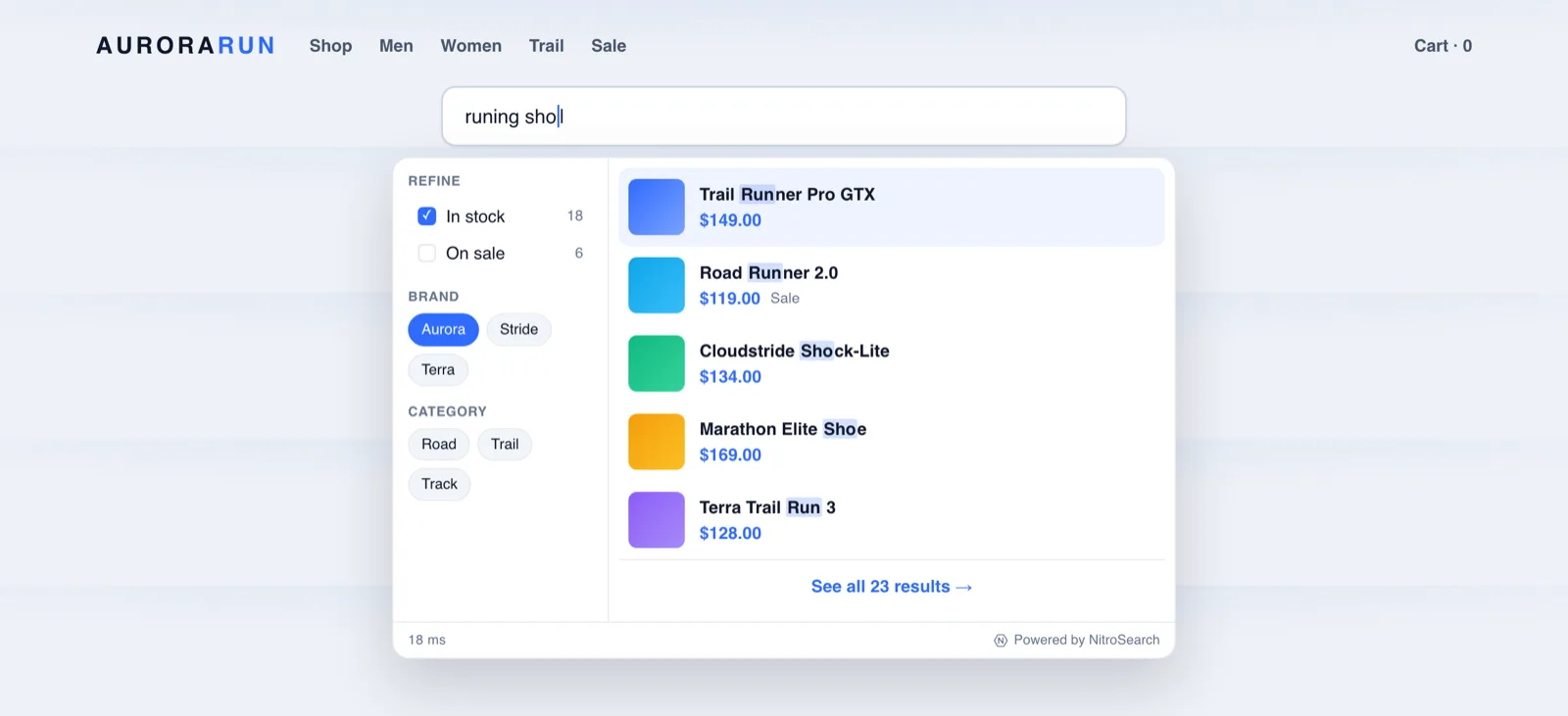
Results appear as they type — typically in around a tenth of a second — and the full results page, filters and add-to-cart come with it.
Everything A WooCommerce Search Box Should Do
All of it live today, on every plan — search is never tiered. The one paid-plan extra is search analytics.
Instant & Typo-Tolerant
“Runing shoes” still finds your running shoes, while the shopper is still typing. Exact matches always rank first.
Names, SKUs, Brands, Categories
Parent and variation SKUs are indexed as standard — your trade buyers and regulars can search the way they order.
Filters & Facets
Category, brand, in-stock and on-sale facets with live counts, in the dropdown and on the full results page.
A Full Results Page
A fast product grid with pagination and add-to-cart, served on the same search URL your theme already uses.
Design Controls
Layout, light/dark scheme, corners, font and result count — tuned from the plugin’s Design tab, no CSS required.
Cloud Hosted & Cookieless
Search runs on our managed cloud infrastructure, and nothing we put in front of shoppers drops a tracking cookie — nothing to add to your consent banner.
Your Server Is Never In The Search Path
Native WooCommerce search runs a database scan on the same server that renders your pages and takes your orders. NitroSearch moves the whole job: your catalogue lives in a dedicated index, and every keystroke goes straight from the shopper’s browser to our engine.
- No PHP in the search hot path — search adds zero load to your hosting
- Typically around a tenth of a second, typos and all
- A widget about a tenth the weight of the usual toolkit
The long version, with the SQL to prove it: why WooCommerce search is slow.
WooCommerce Search, Explained Properly
Deep, honest guides to every part of the problem — what’s broken, why, and exactly what fixes it.
See What Shoppers Actually Search
Every paid plan includes cookieless search analytics: top queries, click-throughs, add-to-carts, search-attributed revenue — and a zero-result inbox that names the demand you’re missing.
Included on every paid plan · Cookieless by design
Flat Pricing, Sized By Catalogue
Free up to 100 search results, then $5.99, $9.99 or $19.99 a month by catalogue size — and Enterprise beyond that. Never per search, never per record: a viral day costs you nothing extra.
Frequently Asked
Is NitroSearch free for WooCommerce?
Will a search plugin slow my store down?
Does NitroSearch work with my theme?
What does it actually search?
How is this different from search plugins that stay inside WordPress?
Capabilities described on this page last checked 1 August 2026. See features for what’s live today and what’s on the roadmap.
Give Your Store The Search It Deserves
Install the plugin and be live in minutes — your first 100 search results are free, no card, nothing to lose.
Free up to 100 search results · No card required · Cancel anytime